

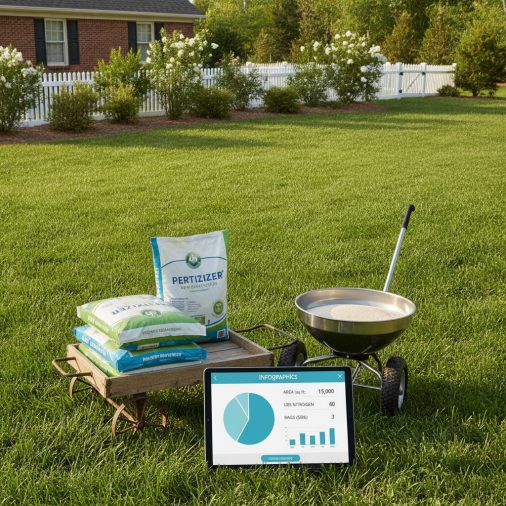
Getting the fertilizer amount right is one of the most important — and most commonly botched — steps in lawn care. Apply too little and your grass stays thin and pale; apply too much and you risk burning the turf, wasting money, and sending excess nutrients into waterways. This lawn fertilizer calculator takes your lawn size, the nitrogen rate recommended for your grass type, and the N-P-K analysis printed on your fertilizer bag to tell you exactly how many pounds of product to apply and how many bags to buy — so you never guess again.
Lawn Fertilizer Calculator: Exact Pounds and Bags Needed by Area
Calculate exactly how much lawn fertilizer you need based on your lawn area, desired nitrogen rate, and fertilizer NPK analysis. Avoid waste and under-feeding.
How to Use This Calculator
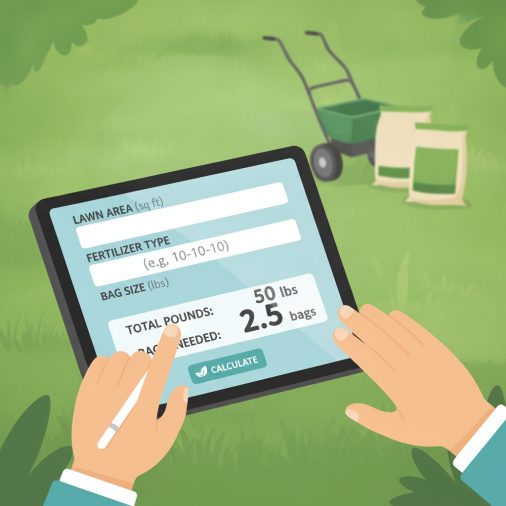
Follow these four steps to get accurate results:
- Enter your lawn area — type the total turfgrass area you want to fertilize and choose square feet or square meters.
- Set your target nitrogen rate — this is the pounds (or kg) of actual nitrogen you want to deliver per 1,000 sq ft (or 100 m²). Check the recommended rate for your grass type in the input guide below.
- Enter the fertilizer’s nitrogen percentage (N) — find the first number in the N-P-K ratio printed on the bag (e.g., the “32” in 32-0-10).
- Enter the bag size — the net weight of one bag in pounds or kg so the calculator can tell you how many bags to purchase.
Hit Calculate and the results will show total product weight needed, application rate per unit area, and number of bags to buy.
Understanding the Calculator Inputs
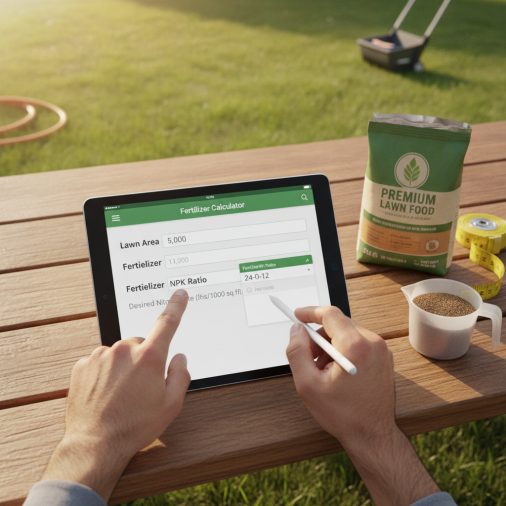
Lawn Area: Measure or estimate the total turfgrass surface you plan to fertilize — do not include driveways, beds, or hardscape. For irregular shapes, break the lawn into rectangles or use our lawn area calculator for instant square footage to get an accurate number. Enter the value and then select the matching unit (square feet or square meters).
Area Unit: Choose Square Feet if you work in the US customary system or Square Meters if you prefer metric. The calculator converts everything internally so all downstream results stay consistent.
Target Nitrogen Rate: This is the amount of actual (elemental) nitrogen you want to deliver, expressed as pounds of N per 1,000 square feet. Typical ranges by grass type: cool-season grasses (Kentucky bluegrass, tall fescue, perennial ryegrass) — 0.5–1.0 lb N per application; warm-season grasses (Bermuda, Zoysia, St. Augustine) — 0.75–1.5 lb N per application. Never exceed 1.5 lb N per 1,000 ft² in a single application to avoid burn risk.
Nitrogen Rate Unit: If you selected square meters as your area unit, choose kg N per 100 m² here. The numeric equivalence is the same scale (1 lb N/1,000 ft² ≈ 0.49 kg N/100 m²), so adjust your numeric value accordingly.
Fertilizer Nitrogen (N%): Look at the three-number N-P-K analysis on the fertilizer bag. The first number is the nitrogen percentage by weight. For example, a bag labeled 28-0-3 contains 28% nitrogen. Enter that number here. Common lawn fertilizers range from 10% to 46% nitrogen.
Bag Size: Enter the net weight printed on the bag you plan to buy. Standard US lawn fertilizer bags are commonly 18 lb, 25 lb, 40 lb, or 50 lb. Select the matching weight unit (pounds or kilograms).
Understanding Your Results
Lawn Area in ft²: This confirms your converted lawn area in square feet regardless of the unit you entered. Use it to double-check that your input was correct before acting on the other results.
Total Fertilizer Product Needed: The total weight of granular or liquid fertilizer concentrate required to cover your entire lawn at the target nitrogen rate. This is the number to write on your shopping list.
Application Rate per 1,000 ft²: How many pounds of product to spread over each 1,000 square feet. Use this number to set your spreader’s calibration dial. Most broadcast spreader manufacturers publish a settings chart keyed to this rate.
Bags to Purchase: The minimum number of whole bags you need to buy, always rounded up so you never run short mid-application. Buying one extra bag is far better than stopping halfway through.
Total Nitrogen Delivered: The actual pounds of elemental nitrogen your lawn will receive. Cross-check this against your soil test recommendation or grass-type guidelines to confirm you are in a safe, effective range.
Leftover Product: The weight of fertilizer remaining after your application if you buy the rounded-up number of bags. Store leftover product in a sealed, dry container for the next application cycle rather than over-applying it now.
Calculation Formulas Explained
All calculations are built on one core relationship: the weight of fertilizer product you need equals the weight of nitrogen you want to deliver divided by the nitrogen fraction in the bag.
- Area conversion: area_ft2 = lawn_area × area_unit — the select field value is 1 for ft² and 10.7639 for m² (the number of ft² in 1 m²), so multiplying converts m² inputs to ft².
- Total product needed (lb): (area_ft2 / 1000) × nitrogen_rate × (100 / nitrogen_pct) — dividing area by 1,000 gives the number of 1,000-ft² units; multiplying by the nitrogen rate gives total lb of N needed; multiplying by (100 / N%) converts lb of N into lb of product because the bag is only N% nitrogen by weight.
- Application rate per 1,000 ft²: nitrogen_rate × (100 / nitrogen_pct) — the same conversion factor applied to a single 1,000-ft² unit, giving the spreader setting reference value.
- Bags to purchase: ceil(total_product / bag_weight_lb) — divides total product by the weight of one bag and rounds up to the next whole integer so you always have enough.
- Total nitrogen delivered: (area_ft2 / 1000) × nitrogen_rate — a straightforward check of actual N applied.
- Leftover product: (bags_purchased × bag_weight_lb) − total_product_needed — the difference between what you buy and what you use.
The calculator assumes 100% of the product weight is available for spreading (i.e., no moisture loss or spillage) and that the N% on the label is accurate. Slow-release and quick-release fertilizers with the same N% will produce the same total-product result; timing of nutrient availability differs but does not change the weight calculation.
Worked Example
Scenario: You have a 7,500 ft² Bermuda grass lawn and want to apply 1 lb of nitrogen per 1,000 ft² using a 32-0-10 fertilizer sold in 40 lb bags.
- Lawn area in 1,000-ft² units: 7,500 ÷ 1,000 = 7.5 units
- Total nitrogen needed: 7.5 × 1 lb N = 7.5 lb of actual nitrogen
- Convert to product weight: 7.5 × (100 ÷ 32) = 7.5 × 3.125 = 23.44 lb of fertilizer
- Application rate per 1,000 ft²: 1 × (100 ÷ 32) = 3.13 lb per 1,000 ft² — set your spreader to deliver this rate
- Bags to buy: ceil(23.44 ÷ 40) = ceil(0.586) = 1 bag
- Leftover product: (1 × 40) − 23.44 = 16.56 lb to store for the next application
Result: One 40 lb bag of 32-0-10 is sufficient. You will use 23.44 lb and store the remaining 16.56 lb. Your lawn receives exactly 7.5 lb of nitrogen — right in the ideal range for an actively growing Bermuda grass lawn. For more detail on Bermuda-specific nutrient needs, see our guide on fertilizing Bermuda grass for lush growth.
How to Interpret the Results
Once you have your results, compare the Total Nitrogen Delivered figure against these general benchmarks:
- Cool-season grasses (fescue, bluegrass, ryegrass): 0.5–1.0 lb N per 1,000 ft² per application; annual total typically 2–4 lb N per 1,000 ft².
- Warm-season grasses (Bermuda, Zoysia, St. Augustine, centipede): 0.75–1.5 lb N per 1,000 ft² per application; annual total typically 3–6 lb N per 1,000 ft² for Bermuda, less for centipede.
- Over 1.5 lb N per 1,000 ft² in one application: High burn risk, especially in hot or dry weather. Split the application into two passes a few weeks apart instead.
- Under 0.5 lb N per 1,000 ft²: May produce little visible response; consider whether the application is cost-effective or whether you should wait and apply a slightly higher rate.
The Leftover Product result is useful for planning: if you consistently have large leftovers, consider buying a smaller bag size or adjusting your application rate slightly. If leftover is near zero, you are buying very efficiently. Never apply leftover product all at once to avoid over-fertilizing.
Common Mistakes to Avoid
- Using the N-P-K ratio as a percentage of the whole bag weight incorrectly: The N number IS already a percentage (e.g., 28 means 28% of the bag weight is nitrogen). The calculator handles this correctly — just enter the number as it appears on the label.
- Measuring lawn area including non-grass surfaces: Driveways, patios, mulched beds, and sidewalks should not be included. Overestimating area leads to buying too much product and potentially over-applying.
- Confusing nitrogen rate with product rate: Some bag labels say “apply 4 lb of product per 1,000 ft²” — that is a product rate, not a nitrogen rate. To find the nitrogen rate, multiply: 4 lb product × 0.28 (for 28% N) = 1.12 lb N per 1,000 ft². Always enter the nitrogen rate in this calculator, not the product rate.
- Ignoring slow-release vs. quick-release split: Two fertilizers with the same N% but different release technologies will give the same calculator output. However, quick-release products can burn if applied above ~0.9 lb N per 1,000 ft² in hot weather. Check the label for guidance.
- Not calibrating the spreader: Buying the right amount of fertilizer is only half the job. If your spreader is not calibrated to deliver the correct application rate per 1,000 ft², you will apply unevenly regardless of how accurate your calculation is. Always calibrate before spreading.
- Applying to wet or drought-stressed turf: Fertilizer applied to wet grass blades can cause burn, and drought-stressed grass cannot take up nutrients efficiently. Water the lawn lightly 24–48 hours before applying granular fertilizer.
Limitations and Important Notes
This calculator provides planning estimates only based on the inputs you supply. It does not account for soil test results, existing soil nutrient levels, organic matter content, or local environmental regulations that may restrict fertilizer application rates or timing. Always consult a current soil test from a certified laboratory before fertilizing, especially for phosphorus and potassium inputs.
The formulas assume the fertilizer’s stated N% is accurate and that product is applied uniformly across the entire lawn area. Real-world spreader overlap, missed strips, and product clumping will cause variation. The calculator does not account for liquid fertilizer dilution ratios, fertigation systems, or foliar spray applications — it is designed for granular and dry fertilizer products.
Fertilizer regulations vary by state, province, and municipality. Some jurisdictions restrict nitrogen applications near waterways, limit application rates, or prohibit fertilizing during certain seasons. Check your local extension service or municipal guidelines before applying. This tool is for informational and planning purposes and does not constitute agronomic advice.
Frequently Asked Questions
What N-P-K ratio should I look for in a lawn fertilizer?
For most established lawns, a fertilizer with a higher first number (nitrogen) relative to the second and third numbers is appropriate for routine feeding. A ratio like 28-0-3, 32-0-10, or 24-0-11 works well for maintenance applications on actively growing turf. Phosphorus (the middle number) is often zero in maintenance fertilizers because most established lawn soils already have adequate phosphorus — adding more can contribute to waterway pollution. Potassium (the third number) supports drought and disease resistance. If you are seeding or overseeding, a starter fertilizer with a higher middle number (e.g., 18-24-12) helps new roots establish. Always base your NPK choice on a soil test when possible. For grass-specific guidance, our article on choosing the right fertilizer for Bermuda grass covers warm-season lawn needs in detail.
How often should I fertilize my lawn each year?
Frequency depends on grass type, climate, and your goals. Cool-season grasses (Kentucky bluegrass, tall fescue, perennial ryegrass) grow most actively in spring and fall, so the most impactful applications are in early fall and a lighter feeding in spring — typically 2–4 applications per year totaling 2–4 lb N per 1,000 ft². Warm-season grasses (Bermuda, Zoysia, St. Augustine) grow actively in summer and should be fed from late spring through early fall, with 3–6 applications per year depending on the grass and desired density. Avoid fertilizing any grass during dormancy or extreme heat stress, as the nutrients cannot be used and may cause harm.
Can I use this calculator for liquid fertilizers?
This calculator is designed for granular and dry fertilizer products where you enter a bag weight. Liquid fertilizers are sold by volume (gallons or liters) and require dilution calculations that depend on the product’s concentration in oz or ml per gallon of water. The nitrogen percentage on a liquid fertilizer label still represents the same concept — percent N by weight — so you can use the Total Nitrogen Delivered result to verify you are hitting your target rate, but the Total Product Needed and Bags to Purchase results will not be meaningful for liquids. Check the liquid product’s label for its recommended dilution and coverage rate per gallon.
What happens if I apply too much fertilizer?
Over-application of nitrogen fertilizer can cause fertilizer burn — brown or yellow streaks and patches where salt concentration in the soil draws moisture out of grass roots. In severe cases, turf can die in those areas. Excess nitrogen also promotes rapid, lush top growth at the expense of root depth, making the lawn more susceptible to drought and disease. Environmentally, surplus nitrogen leaches through the soil into groundwater or runs off into streams and lakes, contributing to algae blooms and oxygen depletion. If you accidentally over-apply, water the area deeply and immediately to dilute the salt concentration in the root zone.
What is the difference between slow-release and quick-release fertilizer?
Quick-release (water-soluble) fertilizers deliver nitrogen to the plant almost immediately after watering, producing a fast green-up response within days. However, they carry a higher burn risk if over-applied and their effect fades within 3–6 weeks. Slow-release fertilizers (coated urea, IBDU, sulfur-coated, or organic-based) break down gradually over 6–12 weeks, providing a steadier nutrient supply with lower burn risk and fewer applications needed per season. Many premium lawn fertilizers use a blend of both types to give an immediate response plus extended feeding. The N% on the label is the total nitrogen regardless of release type, so this calculator’s weight results apply equally to both — only the timing of nutrient availability differs.
Do I need a soil test before using this calculator?
A soil test is not required to use the calculator, but it is strongly recommended before any fertilizer program. A soil test tells you the existing levels of nitrogen, phosphorus, potassium, pH, and organic matter in your soil. Without that data, you are guessing at what your lawn actually needs. Many lawns — especially those that have been fertilized for years — already have excess phosphorus and potassium, meaning you only need to replace nitrogen. Applying a balanced fertilizer to an already phosphorus-rich soil wastes money and increases runoff risk. Most university cooperative extension services offer soil testing for $10–$25 and provide specific fertilizer recommendations based on your results.
How do I convert my lawn area from square meters to square feet for this calculator?
You do not need to convert manually — simply enter your area in square meters and select Square Meters (m²) from the Area Unit dropdown. The calculator multiplies your input by 10.7639 (the number of square feet in one square meter) internally. If you prefer to convert yourself, multiply square meters by 10.7639 to get square feet. For example, 500 m² × 10.7639 = 5,382 ft². For measuring irregular lawn shapes accurately before entering them here, a dedicated lawn area calculator can simplify the process.
How do I set my spreader to apply the correct amount?
Use the Application Rate per 1,000 ft² result from this calculator as your reference. Most broadcast (rotary) and drop spreader manufacturers publish a settings chart on the bag or in the spreader manual that maps a dial number to a specific application rate in pounds per 1,000 ft². Find the row for your fertilizer product or the closest matching rate and set the dial accordingly. If your spreader is not listed, perform a catch test: spread over a tarp covering a known area, weigh the collected product, and adjust the dial until the weight matches the target rate. Consistent walking speed and overlapping passes by about one-third of the spread width help ensure even coverage. Choosing a quality fertilizer spreader for your riding mower can also make a significant difference in application uniformity.
